7 Text-to-Video Mistakes Beginners Make (and How to Fix Each One)
9 min read • Updated September 2026
QUICK ANSWER
The seven beginner killers: too many motions, no camera direction, wrong aspect ratio, expecting readable text and perfect hands, testing at full length, style-word stuffing, and burying the hook. Fix with one motion, an explicit camera move, and front-loaded action.

Almost every first AI video looks the same: a blurry shapeshifter melting across the screen while the creator wonders what went wrong. The model is rarely the problem. In nine cases out of ten, the prompt asked for something no model can deliver — and the fix takes thirty seconds once you know what to look for.
This guide collects the seven mistakes beginners make most with text-to-video, in the order you will actually hit them. Each one comes with why it happens, the exact fix, and a before-and-after prompt pair you can paste straight into the generator to feel the difference yourself.
Mistake 1 — five motions in one prompt
The classic beginner prompt reads like a movie trailer: "a lion running as birds fly over a waterfall while clouds swirl and the camera spins." Every clause spends from the same small motion budget, so the model spreads itself thin and everything morphs. Faces melt, legs multiply, water turns to jelly. If your videos consistently look like dreams dissolving, this is almost certainly why.
Fix: one hero motion per clip. "A lion running across dry grass, dust kicking up behind, static camera, sunrise backlight." Generate three separate five-second clips with one motion each and stitch them in any free editor — three focused clips always look more professional than one crowded one.
Mistake 2 — no camera direction at all
Most beginners describe the scene and forget the camera, so the model picks a random framing — often a flat wide shot with the subject lost in the middle distance. The result feels like security footage: technically moving, emotionally dead. Camera language is the cheapest upgrade in prompting because a few words completely change the energy.
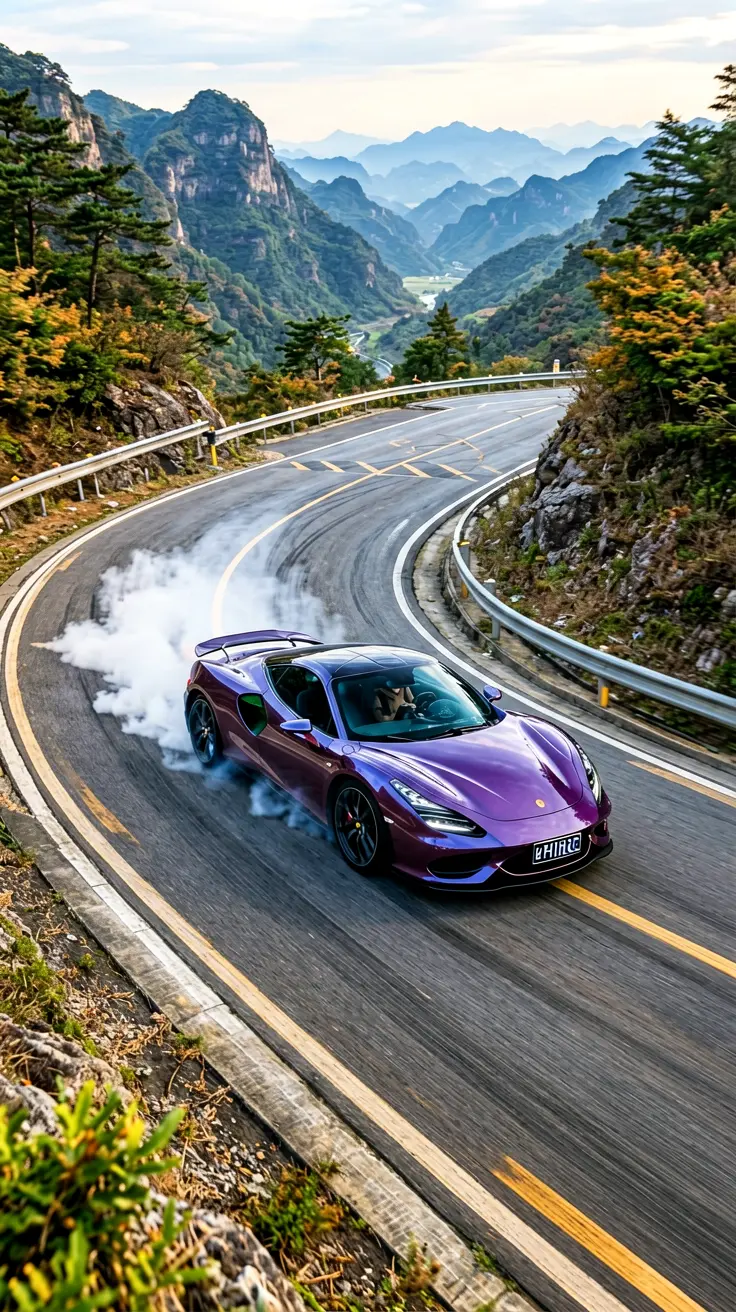
Fix: always end your prompt with a camera move. "Slow push-in" adds intimacy, "overhead shot" adds scale, "tracking shot from the side" adds speed. Compare "a sports car on a mountain road" with "a sports car drifting on a mountain road, drone chase view" — same subject, completely different video.
Mistake 3 — wrong aspect ratio for the platform
Generating landscape video for Reels or square video for YouTube means cropping away half your pixels and usually decapitating your subject. Beginners then blame "bad quality" for what was actually a framing decision made before generation started. Platforms punish wrong ratios twice: ugly crops plus algorithmic demotion for black bars.
Fix: decide the platform before the prompt. Reels, Shorts and TikTok want 9:16 portrait with the subject in the middle third — say so explicitly ("centered", "close-up"). YouTube wants 16:9. Write the ratio into your workflow, not as an afterthought, and describe compositions that suit it.
Mistake 4 — expecting readable text and perfect hands
AI video models cannot reliably render text, logos, complex hands, or intricate patterns in motion. Beginners prompt "a neon sign reading OPEN" or "a chef folding dumplings" and get Lovecraftian letterforms and seven-fingered chefs. These are known architectural limits, not bugs you can prompt around — more adjectives make it worse, not better.
Fix: design around the limits. Replace text with mood ("neon-lit alley, rain reflections"), replace fiddly hand work with wider shots ("chef working at a steamy counter, medium shot"), and add any text or logos in editing afterwards with a real editor. Pull the camera back whenever faces or hands look odd — medium and wide shots are dramatically more reliable than close-ups.
Mistake 5 — testing at full length
Beginners generate the maximum duration for every test, wait several minutes, discover the prompt failed, and repeat. An evening disappears into four attempts. Long renders also cost more queue time and patience, so iteration speed — the actual skill of prompting — collapses to nearly zero.
Fix: test at 3–5 seconds, judge the motion and composition, and only extend once the short version works. A prompt that fails at five seconds fails at twenty seconds too, just slower and more expensively. Keep a notebook of prompts that worked (subject + camera + mood) and remix winners instead of starting from zero each time.
Mistake 6 — style words instead of visual description
"Cinematic, 8k, masterpiece, trending" is the beginner incantation — and models mostly ignore it, because these words describe no visible thing. Worse, they push outputs toward the same glossy generic look everyone else generates. If your videos look technically fine but forgettable, empty style-stacking is usually the cause.
Fix: replace adjectives with nouns and light. Instead of "cinematic", write "low sun through dust, long shadows, warm highlights on faces". Instead of "8k detailed", name the details: "rain beading on a leather jacket, neon sign reflections in puddles". Concrete visuals beat vibe words every single time.
Mistake 7 — ignoring the first three seconds
Viewers decide in under three seconds whether to keep watching, yet beginners bury the interesting part thirty seconds deep "for buildup." There is no buildup on a feed — there is only the thumb, deciding. Analytics prove it relentlessly: retention graphs fall off a cliff in the opening seconds and never recover, no matter how good minute two is.
Fix: front-load the payoff. Start mid-action (the wave already crashing, the transformation already half-done), put your strongest visual in frame one, and treat the first sentence of any voiceover as a headline, not an introduction. Re-edit every finished clip by deleting its first two seconds — if nothing is lost, they should never have existed.
QUICK TIPS
- ✓ One motion, one camera move, one mood — that is the whole formula for your first fifty videos.
- ✓ Generate three variants of every important prompt and keep the best; randomness is free, regret is not.
- ✓ Faces and hands: go wide. Close-ups are the final boss, not the tutorial level.
- ✓ Match aspect ratio to platform before you generate, not after.
- ✓ Test short, extend winners, keep a prompt notebook.
Frequently asked questions
Why do my AI videos look blurry?+
How long should my first prompts be?+
Can AI video render text or logos?+
Portrait or landscape for beginners?+
How many tries until a good clip?+
Should I generate one clip or several per idea?+
Cite this page: Clipaist Editorial, "7 Text-to-Video Mistakes Beginners Make (and How to Fix Each One)", Clipaist, September 2026. https://clipaist.com/guides/text-to-video-beginner-mistakes/
Clipaist Editorial
We test every AI tool and prompt before publishing. Questions or corrections? Reach us on the Contact page.